Evolving a design system to scale
Gynzy's design system wasn't built to serve two audiences. When the product expanded to students, I introduced an alias layer that let one set of components adapt to both contexts automatically.
The challenge
- Gynzy's design system started in Sketch and was migrated to Figma. But the migration was a straight copy-paste, with no rethinking of structure or naming.
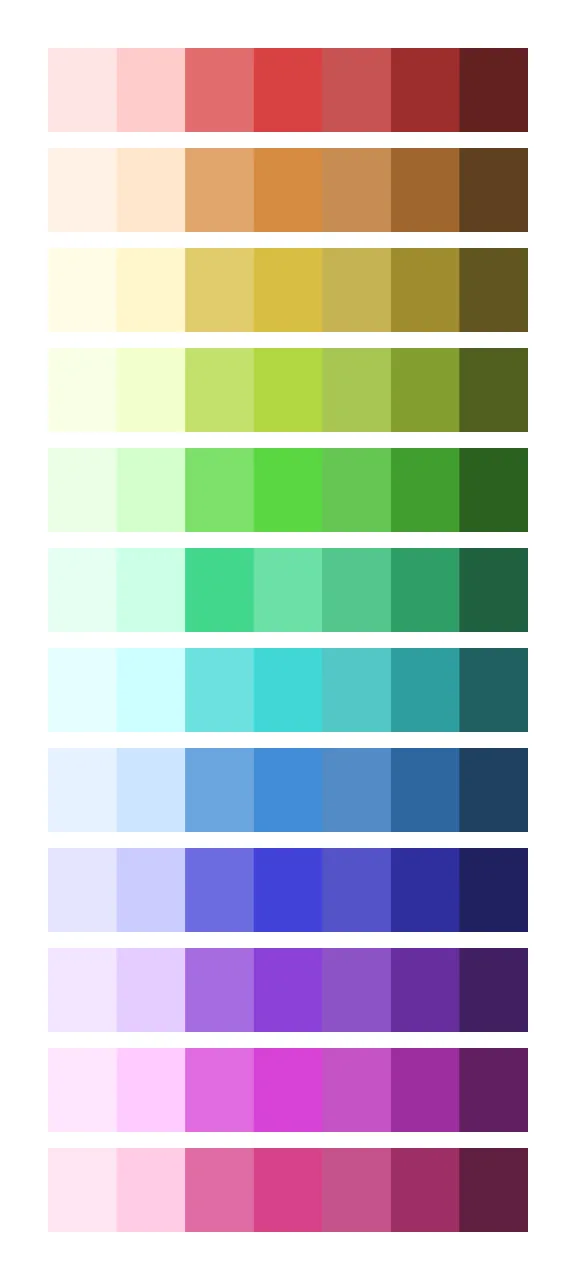
- The design team refreshed the color palette because the old colors felt dull, but without a token architecture to support it, the update had to be applied manually everywhere.
- Components kept being recreated without shared rules. Designers built what they needed in the moment, which led to inconsistency across the product.
- As more work shifted to the student environment, the problem multiplied: every component essentially needed a teacher version and a student version.
Bulky icon set with heavy stroke weight

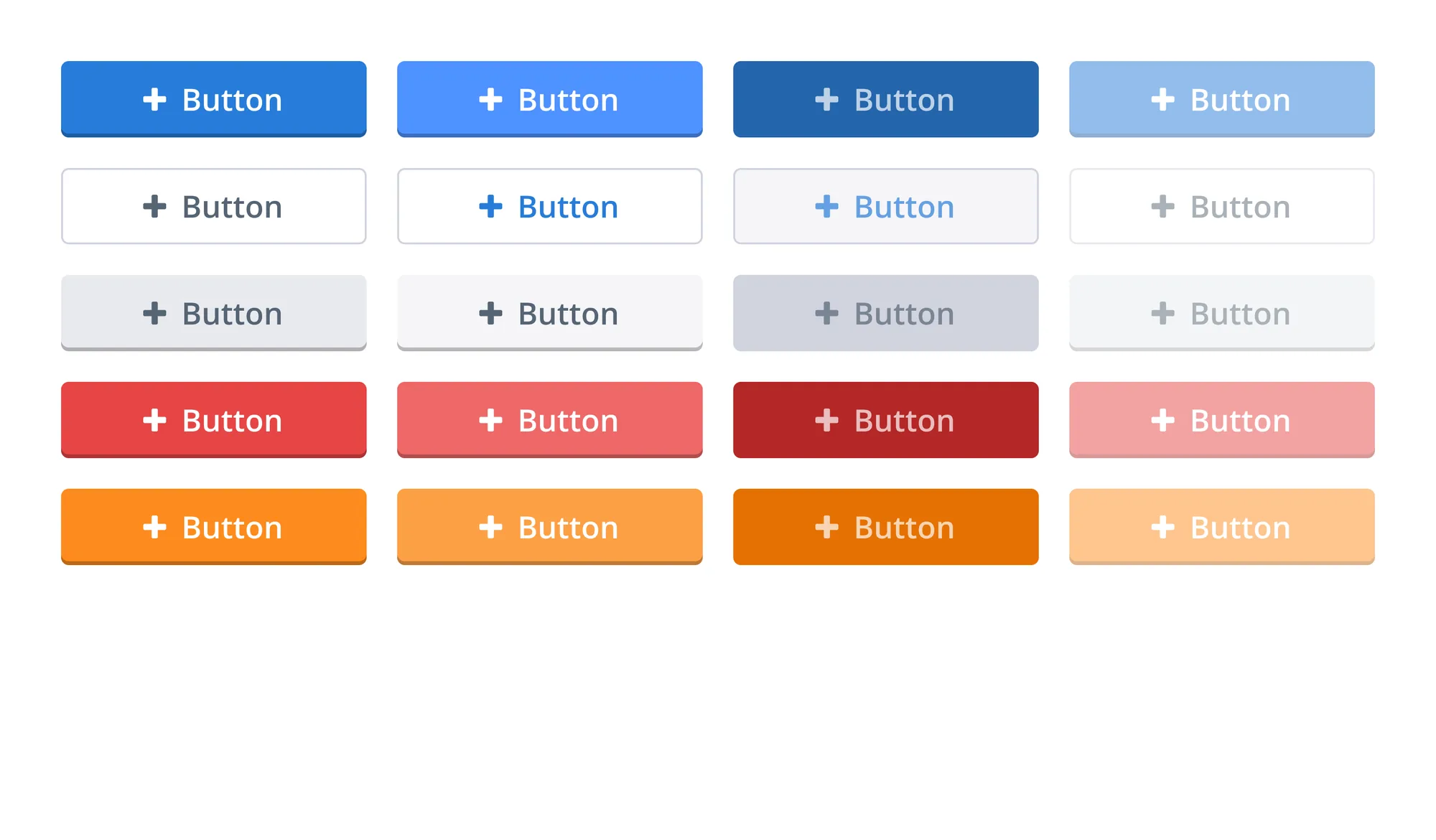
Outdated inner shadows, minimal roundness, oversized icons
Limited color range with dull tones
The solution
- When the organization committed to Flutter, the migration created a natural moment to rethink the design system from the ground up.
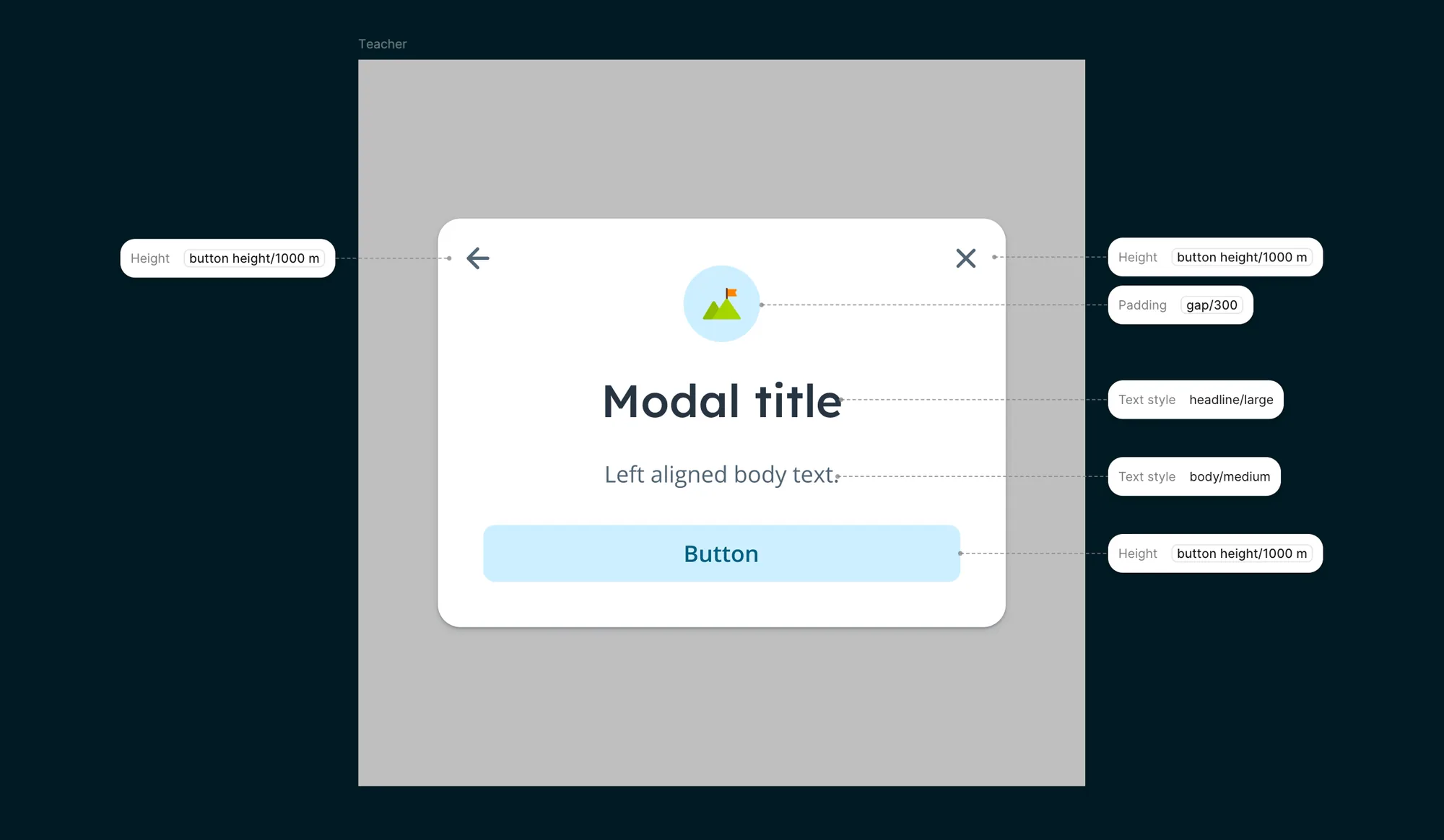
- Instead of maintaining separate component sets for teachers and students, I introduced an alias layer: a set of semantic tokens that map to different values depending on context.
- The alias layer controls spacing, padding, typography, and sizing. That way, a single component adapts automatically to the teacher or student environment.
- I also prepared the alias structure for whitelabel use, building in variable modes that could support different brand contexts in the future.
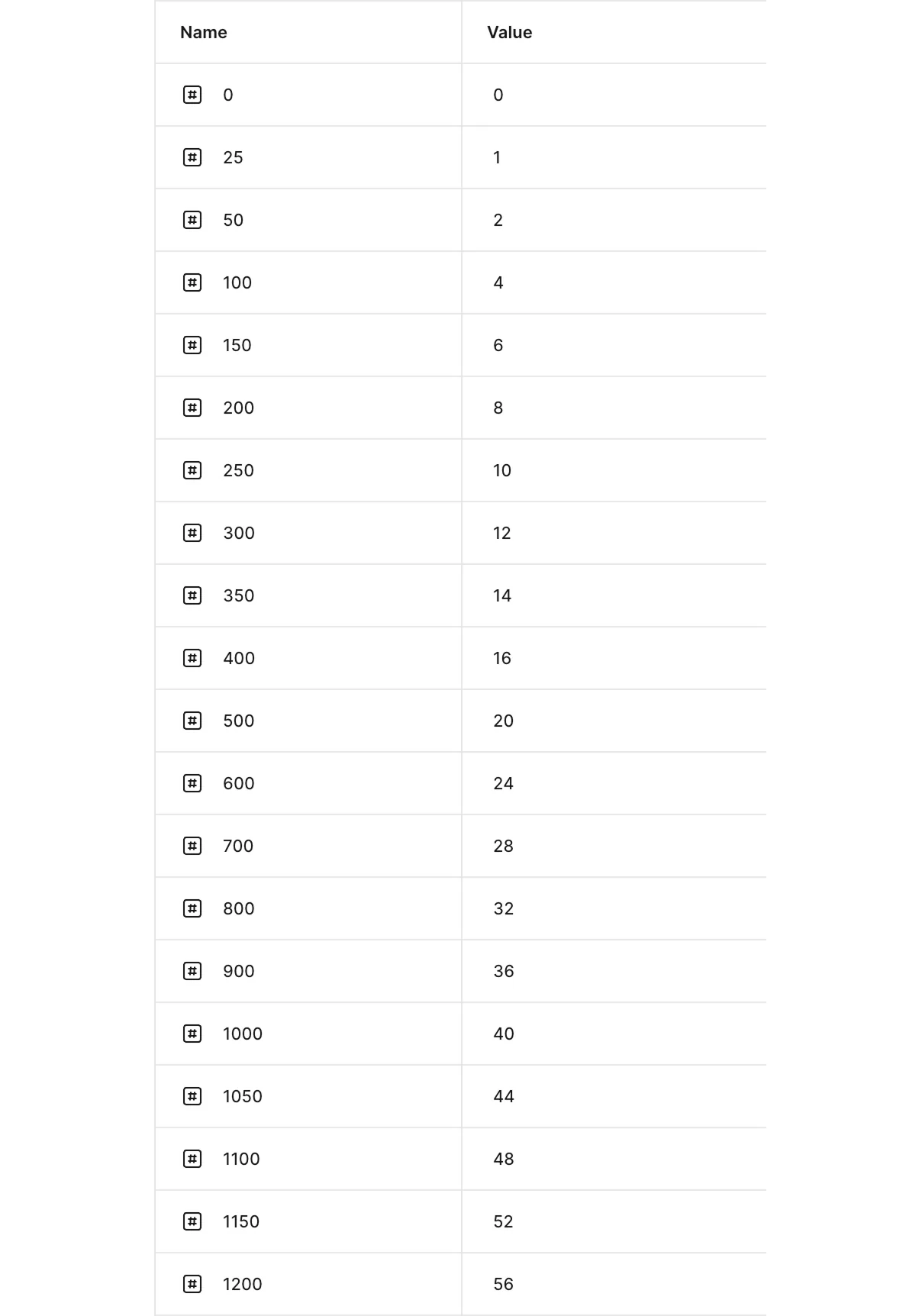
Primitive tokens: raw values, context-unaware
Alias tokens: mapped per context (teacher / student)
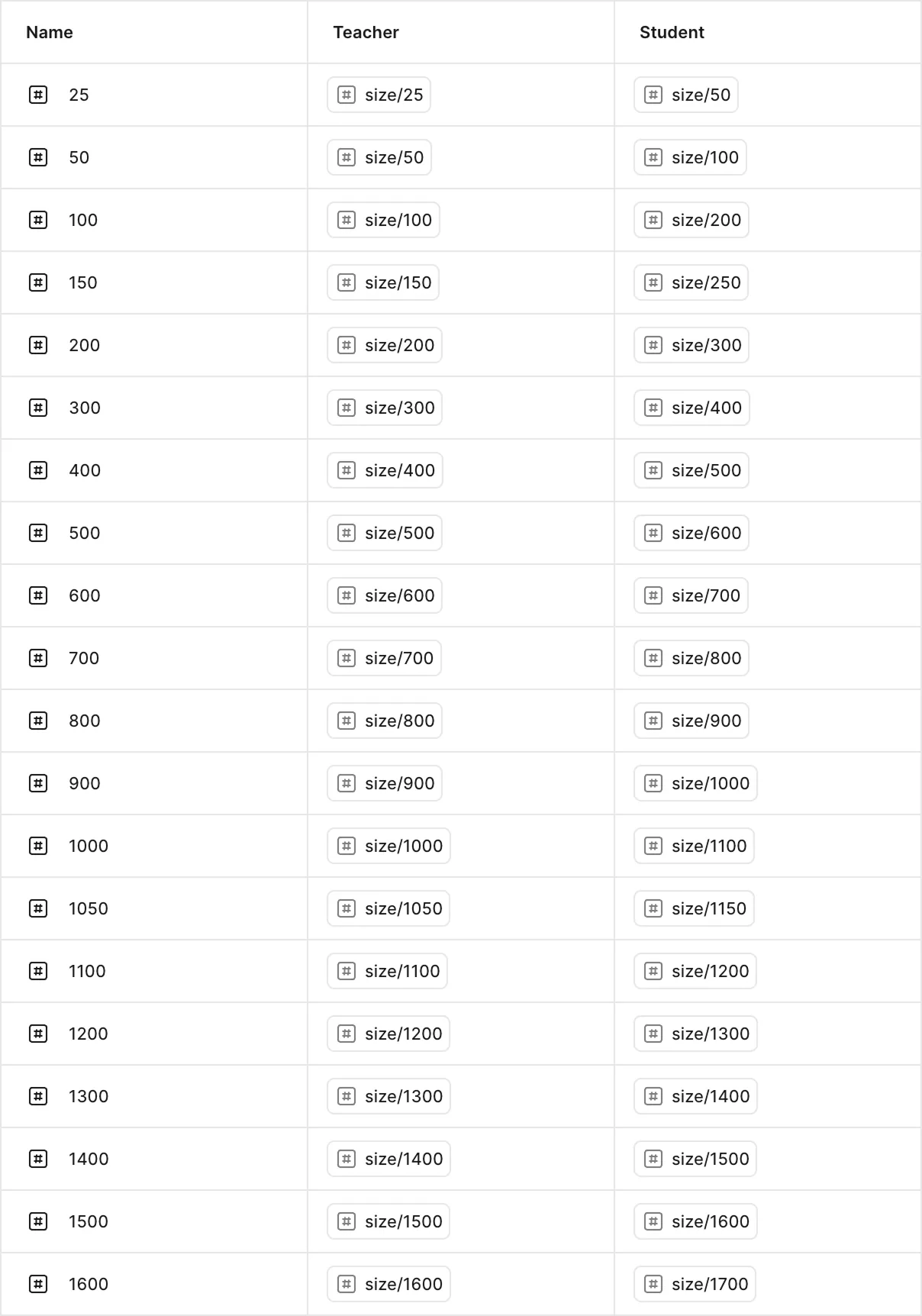
Primitives define raw values. The alias layer maps the same token name to different primitives per context, so components don't need to be duplicated.
Teacher context
Student context
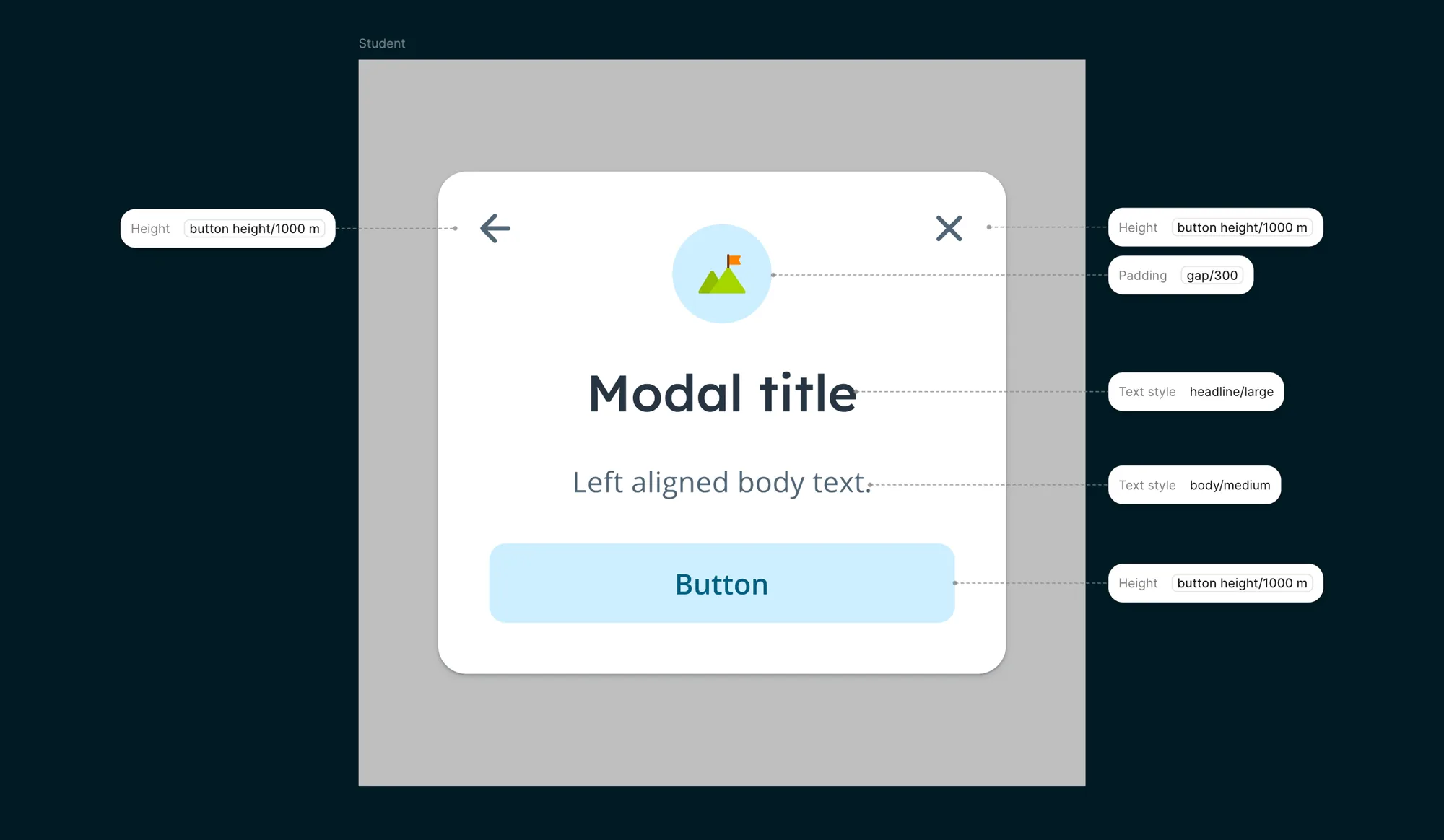
Same component, different context. The alias layer adapts spacing, typography, and sizing for teachers and students without duplicating the component.
Implementation
- Worked closely with a developer to define how tokens would translate into Flutter's theming system.
- Rolled out incrementally: components were migrated one by one instead of in one big-bang switch.
- The developer handled the scaling logic between Flutter and the remaining Ember parts of the application.
- Once AI tooling became available, I could add and update token values and create components on my own. That sped up the process significantly.
Results
- New components can be created faster because the token structure does the heavy lifting.
- A more consistent experience across teacher and student contexts, built from shared components instead of parallel versions.
- The visual language was refreshed, brighter and more intentional, without a separate redesign effort.
- The alias layer is future-proof: whitelabel support is built in from the start.
Before: bulkier, heavier stroke weight
After: lighter, more elegant line work

Before: outdated inner shadows, minimal roundness, oversized icons
After: more roundness, no inner shadows, better icon-text balance
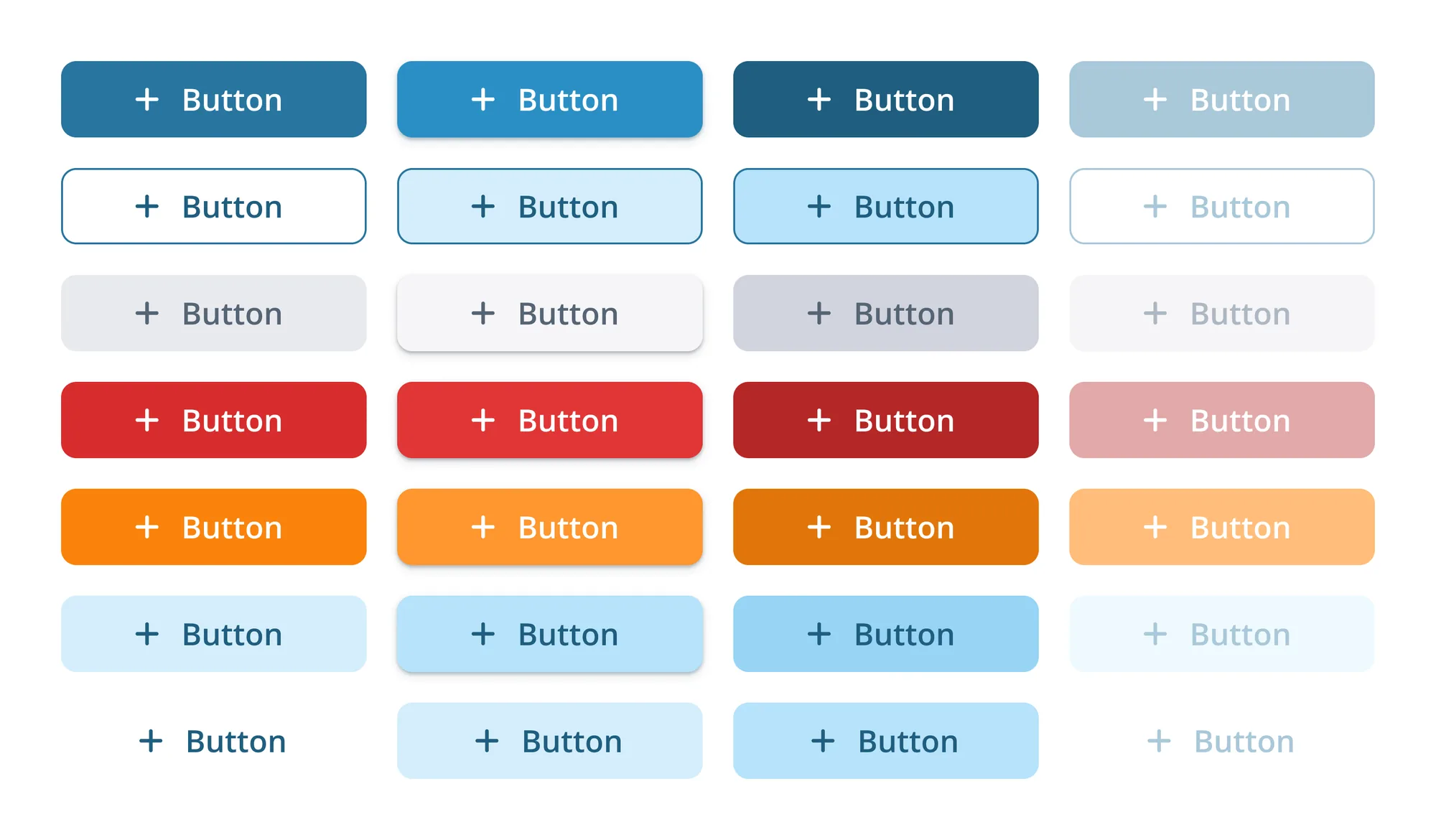
Before: limited color range with dull tones
After: expanded palette with vibrant colors
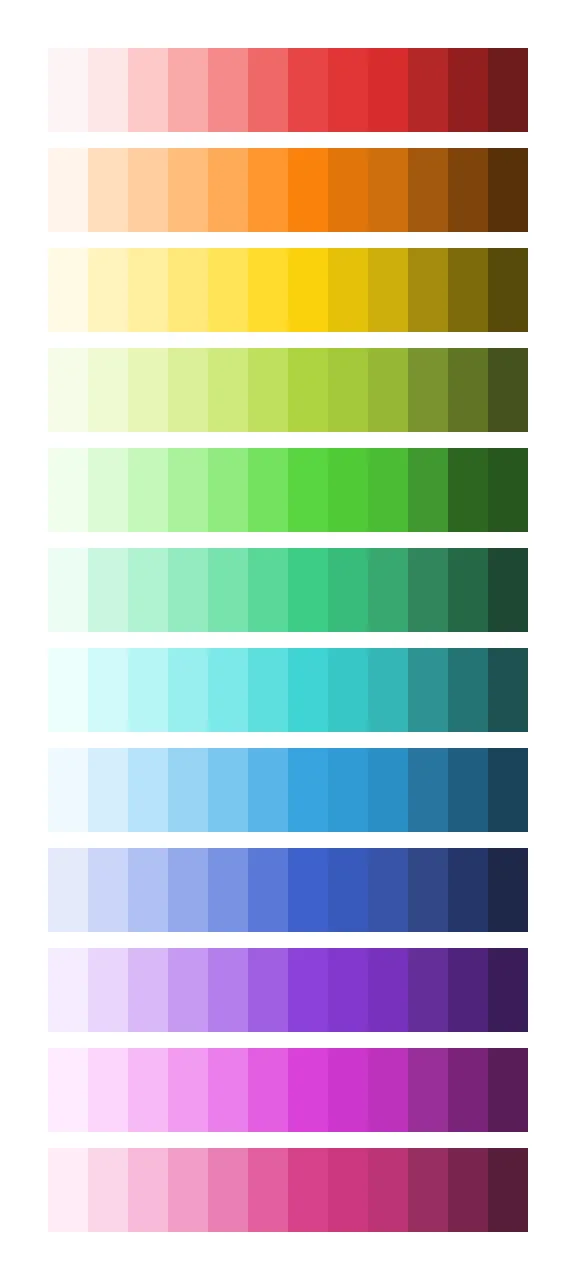
Before: orange & yellow lacked vibrancy
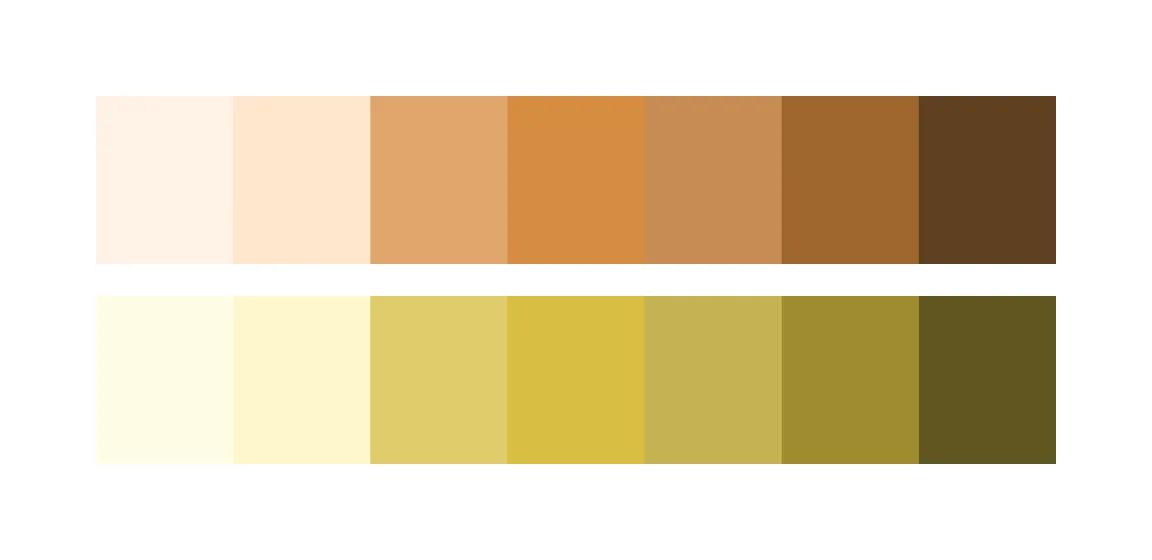
After: brighter, more playful range
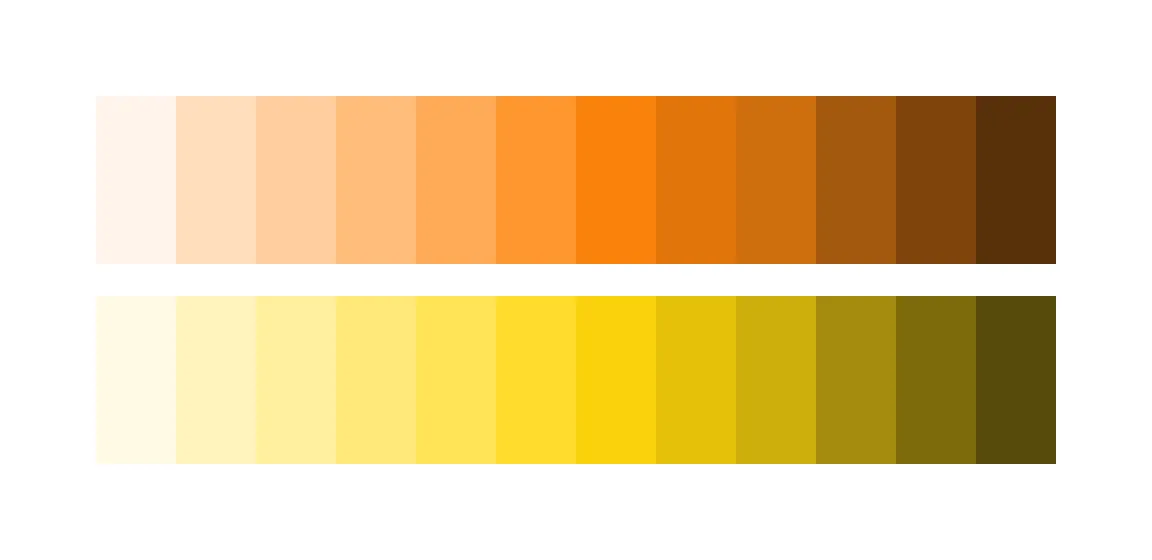
For a product used by teachers and students, color matters. The old palette felt dull. The refresh brought the vibrancy the product needed.
Next project